

Shipping Configuration
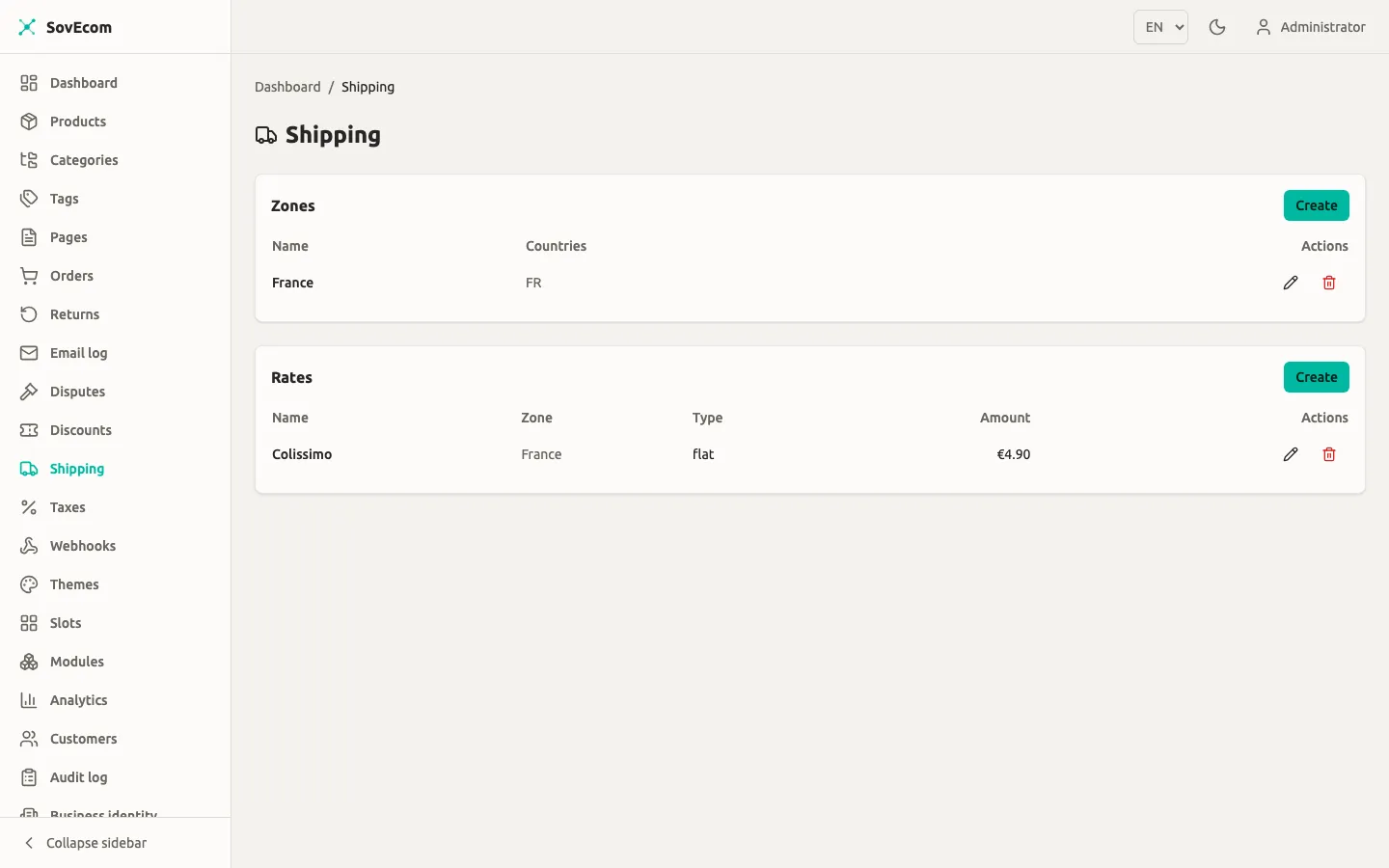
You configure shipping from two things: zones (named groups of destination countries) and rates (the cost rules inside a zone). At checkout SovEcom takes the customer’s shipping-address country, finds the zones that cover it, computes each rate’s cost for that cart, and offers the applicable ones cheapest first.
You manage both from Admin → Shipping.
How shipping resolves at checkout
Section titled “How shipping resolves at checkout”The flow is deterministic. For a given cart SovEcom:
- Reads the shipping-address country. With no address yet, no zone resolves, so the cart shows zero rates.
- Collects every zone whose country list contains that country. Matching is case-insensitive on the ISO 3166-1 alpha-2 code.
- Keeps only the rates whose currency equals the cart currency. A rate in a different currency never appears and never sums into the order total.
- Computes each surviving rate’s cost against this cart: subtotal after discounts, and total weight.
- Drops any weight-based rate whose band the cart misses, then sorts by computed cost ascending, then by name.
The customer picks one of the offered rates. That rate’s cost becomes the cart’s shippingAmount and feeds tax and the grand total.
Money is integer minor units
Section titled “Money is integer minor units”Every amount you enter is an integer in the currency’s minor unit, not a decimal. For euros that means cents:
| You want | Enter |
|---|---|
| €4.90 flat | 490 |
| Free over €50.00 | threshold 5000 |
| €9.99 | 999 |
The admin form labels these fields “(minor units)” for that reason. Weights are integers in grams, and the pricing path uses no floats.
A zone is a name plus a list of destination countries. You create zones first, because every rate must attach to one.
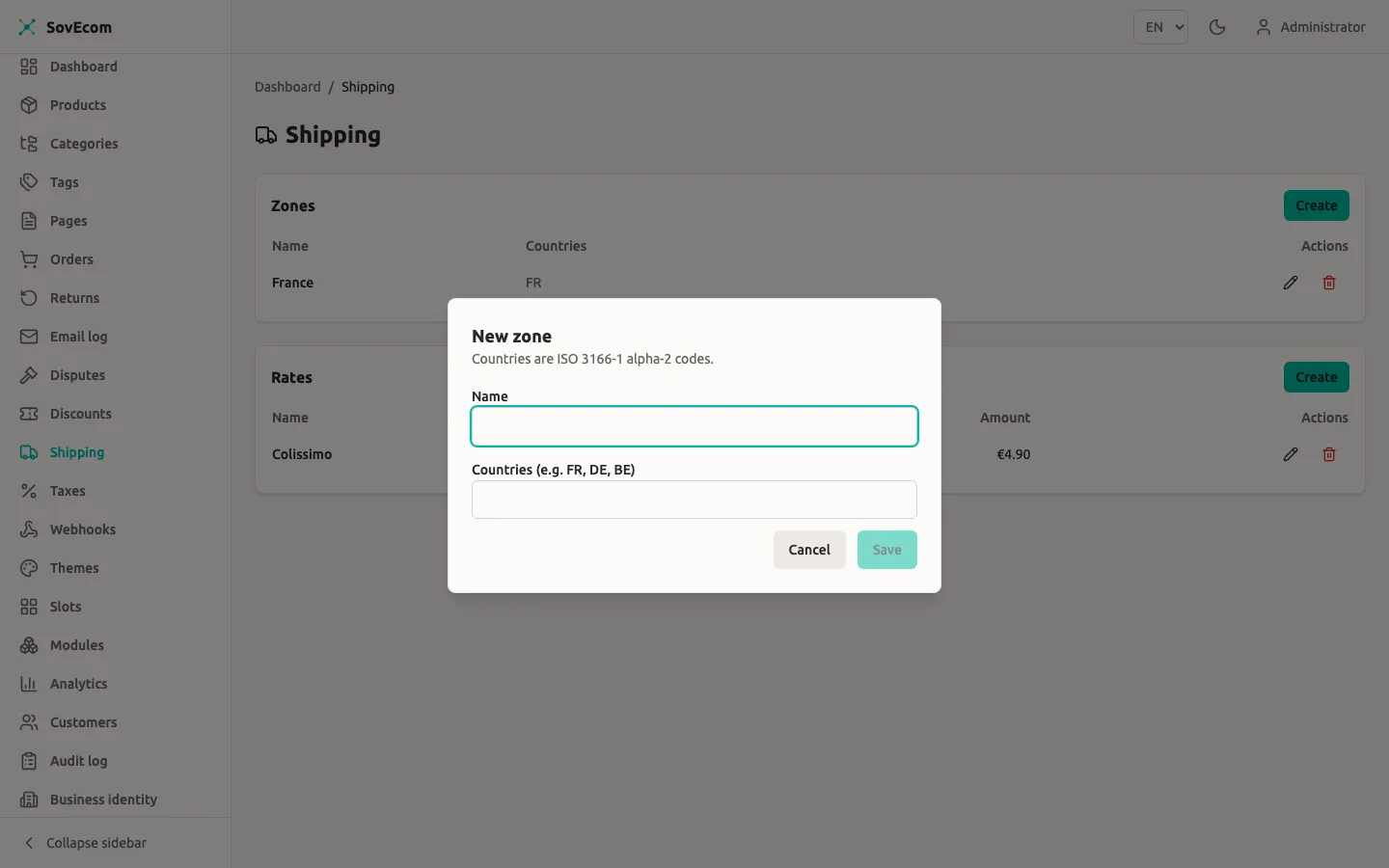
Create a zone
Section titled “Create a zone”- Go to Admin → Shipping.
- In the Zones card, select Create.
- Enter a Name (for example,
EU,France,Rest of World). - Enter Countries as ISO 3166-1 alpha-2 codes, separated by spaces or commas:
FR, DE, BE, NL. - Save.
The form uppercases and de-duplicates what you type, so fr de and FR, DE produce the same zone. A zone must list at least one country.
Overlapping zones
Section titled “Overlapping zones”Two zones may both list the same country. That is allowed and sometimes useful (a broad EU zone for a flat rate, plus a France zone for a cheaper domestic rate). When zones overlap, SovEcom unions their rates: the customer sees rates from every covering zone, and the cheapest takes the top slot in the list.
Deleting a zone cascades to its rates. The delete dialog warns you this cannot be undone.
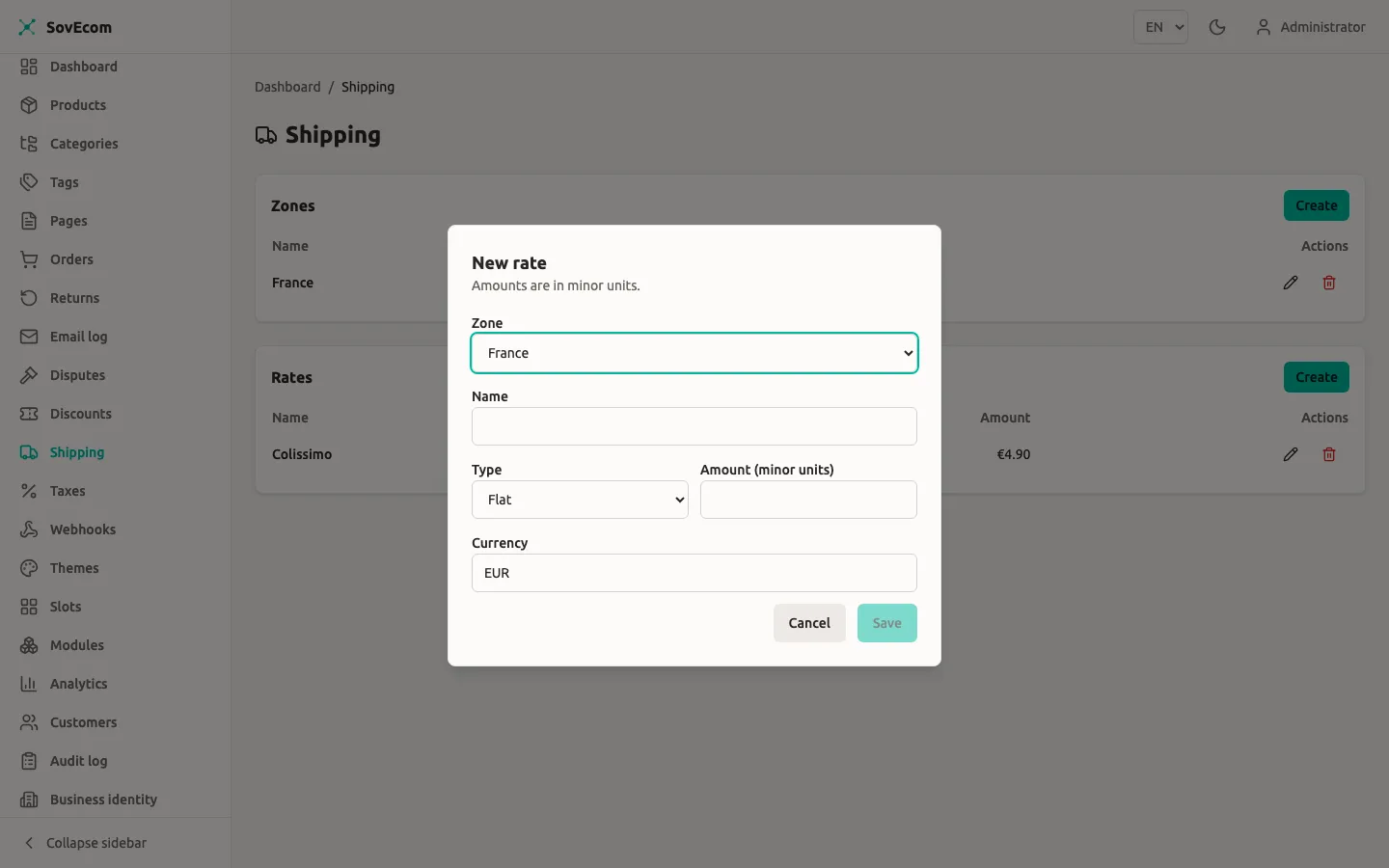
A rate is the cost rule itself. Each rate belongs to one zone and carries a type that sets how SovEcom computes its cost. Here are the three types.
| Type | Behaviour | Required fields |
|---|---|---|
flat | Always charges the amount. | amount |
free_over | Free once the post-discount goods subtotal meets a threshold, otherwise charges the amount. | amount, freeOverAmount |
weight_based | Charges the amount only when the cart’s total weight falls inside a band. Outside the band the rate is not offered. | amount, plus a min and/or max in grams |
All three carry a name, a zoneId, an amount, and a 3-letter ISO 4217 currency. The amount must be ≥ 0.
Flat rate
Section titled “Flat rate”The customer pays exactly amount every time, regardless of cart contents.
Name: StandardType: flatAmount: 490 # €4.90Currency: EURFree-over-threshold rate
Section titled “Free-over-threshold rate”A free_over rate charges amount until the cart’s goods value reaches freeOverAmount, then drops to zero. The threshold base is the post-discount items subtotal: the sum of line items minus any discount, excluding shipping and tax.
Name: Free over €50Type: free_overAmount: 590 # €5.90 below the thresholdCurrency: EURFree over: 5000 # €50.00 goods valueA cart with €52 of goods and no discount ships free on this rate. Apply a €5 coupon to the same cart and the goods value falls to €47, so the €5.90 charge returns. This re-evaluation happens on every cart change (see Re-evaluation).
Weight-based rate
Section titled “Weight-based rate”A weight_based rate applies only when the cart’s total weight in grams sits inside the band you define. Total weight is the sum of each variant’s weight_grams times its quantity. A variant with no weight set counts as 0 g.
You give a minimum, a maximum, or both:
- Min only (
weightMinGrams = 2000, no max): applies from 2 kg upward. - Max only (
weightMaxGrams = 1000, no min): applies up to 1 kg (the implied minimum is 0). - Both: applies inside
[min, max]inclusive.
The band is inclusive at both ends. When both bounds are set, the minimum must be less than or equal to the maximum, or the API returns 422.
Name: Heavy (2–10 kg)Type: weight_basedAmount: 1490 # €14.90Currency: EURWeight min: 2000 # 2 kgWeight max: 10000 # 10 kgIf a cart’s weight falls outside every weight band you defined, none of those weight-based rates appear. Pair weight bands so they cover the full range you ship, or keep a flat rate in the same zone as a fallback.
Re-evaluation on cart changes
Section titled “Re-evaluation on cart changes”A selected rate is live. On every cart recompute (add an item, change a quantity, apply a discount, edit the address) SovEcom re-derives the chosen rate’s cost. Two things can happen:
- The cost changes. A
free_overrate flips between charged and free as the subtotal crosses the threshold. Aweight_basedrate’s band can stop applying. The cart’sshippingAmountupdates to match. - The rate stops being available. If the customer edits the address to a country no longer covered by any zone with that rate, the selection is cleared:
shippingRateIdbecomes null andshippingAmountreturns to 0. The customer then re-picks from the new destination’s rates.
This keeps the grand total correct through cart edits, ownership transfer, and cart merges. You do not configure it. Every rate behaves this way.
Editing and validating rates
Section titled “Editing and validating rates”When you edit a rate, the form submits only the fields you changed. SovEcom merges your change onto the stored rate and validates the merged result, so you cannot clear the threshold on a free_over rate, and you cannot push a weight minimum above the stored maximum. Both return a 422 with a message naming the field.
A rate’s zone must belong to your store. Attaching a rate to another store’s zone is rejected with 422.
Permissions
Section titled “Permissions”Reading zones and rates requires the settings:read permission. Creating, editing, and deleting require settings:write. These are the same store-wide settings permissions that gate taxes. Every write is audited (shipping.zone.created, shipping.rate.updated, and so on). An operator without settings:write sees the lists but no Create, Edit, or Delete controls.
API reference
Section titled “API reference”The admin endpoints live under /admin/v1/shipping. The storefront reads available rates per cart.
| Method | Path | Purpose |
|---|---|---|
GET | /admin/v1/shipping/zones | List zones |
POST | /admin/v1/shipping/zones | Create a zone |
PUT | /admin/v1/shipping/zones/:id | Update a zone |
DELETE | /admin/v1/shipping/zones/:id | Delete a zone (cascades rates) |
GET | /admin/v1/shipping/rates | List rates |
POST | /admin/v1/shipping/rates | Create a rate |
PUT | /admin/v1/shipping/rates/:id | Update a rate |
DELETE | /admin/v1/shipping/rates/:id | Delete a rate |
GET | /store/v1/carts/:cartId/shipping-rates | Rates available for a cart’s destination |
POST | /store/v1/carts/:cartId/shipping-method | Select a rate for the cart |
Selecting a rate validates that it is in the cart’s available list for the current destination. A rate from another zone, another currency, or one whose weight band no longer applies is rejected with 422.
A create-rate request body:
{ "zoneId": "018f...uuid", "name": "Standard", "type": "flat", "amount": 490, "currency": "EUR"}A free-over rate adds the threshold:
{ "zoneId": "018f...uuid", "name": "Free over €50", "type": "free_over", "amount": 590, "currency": "EUR", "freeOverAmount": 5000}What is not in v1
Section titled “What is not in v1”The engine covers zones, the three rate types, and free-shipping thresholds. The following are not yet available:
- Carrier and label integrations.
- Live carrier-calculated rates.
- Pickup points.
- Multi-package splitting.
- Per-product shipping classes.
- Manual rate ordering. Rates always sort by computed cost, then name. There is no drag-to-reorder and no priority field.
VAT on shipping
Section titled “VAT on shipping”Shipping is a taxable component. SovEcom computes the shipping cost first, then the tax engine adds that amount when it resolves VAT for the cart, including the EU reverse-charge case on VIES-validated B2B cross-border sales. Configure tax rules in Tax & VAT. You do not set VAT on the shipping rate itself.