

Order Management
This guide covers the order side of running a SovEcom store: how an order moves through its states, how you fulfill and ship it, how customers exercise the statutory 14-day withdrawal right, and how refunds and credit notes work. The behavior here matches the API as shipped. Where a screen is not yet captured, you will see a screenshot placeholder.
For tax behavior on these orders (VAT, reverse charge, OSS), see Taxes & VAT. For payment setup, see Payments.
The order lifecycle
Section titled “The order lifecycle”Every order carries a status that moves through a fixed state machine. The machine defines what you can do: you cannot skip a state or move backward. The API rejects an illegal move with a 422 Unprocessable Entity and leaves the order untouched.
States
Section titled “States”| Status | Meaning |
|---|---|
pending_payment | Order created from the cart, awaiting payment. Stock is already reserved. |
paid | Payment captured (or recorded as a manual/offline payment). |
fulfilled | You marked the order ready (picked/packed). |
shipped | Goods handed to the carrier. |
delivered | Carrier confirmed delivery. This timestamp starts the 14-day withdrawal clock. |
completed | Closed out. Terminal. |
cancelled | Cancelled before payment. Terminal. |
refunded | Fully refunded. Terminal. |
partially_refunded | Part of the order has been refunded; the rest is still live. |
Allowed transitions
Section titled “Allowed transitions”pending_payment → paid | cancelledpaid → fulfilled | cancelled | refunded | partially_refundedfulfilled → shipped | refunded | partially_refundedshipped → delivered | refunded | partially_refundeddelivered → completed | refunded | partially_refundedpartially_refunded → refunded | partially_refundedcompleted, cancelled, and refunded are terminal, with no outgoing transitions. Once an order reaches refunded it is closed for good, so the API blocks you from reaching that state through the generic transition endpoint. See below.
Driving a transition
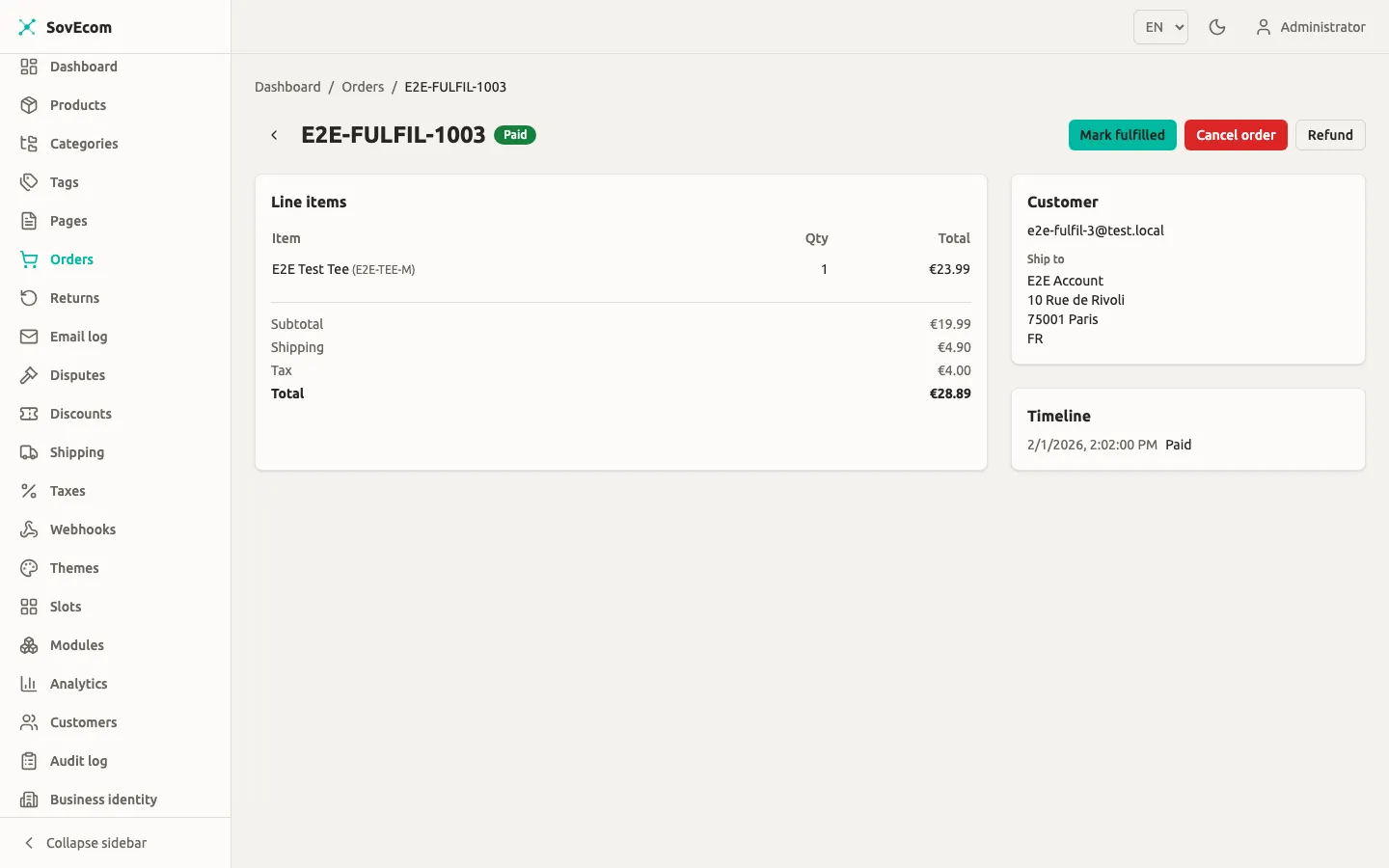
Section titled “Driving a transition”You move an order one legal step at a time:
POST /admin/v1/orders/:id/transitions{ "to": "shipped", "note": "Handed to DHL, tracking 00340..." }This needs the orders:write permission (admin or owner; staff with orders:read can view but not move orders). Every transition is row-locked, validated, and written to an append-only order_status_history row with your user id and optional note, so the lifecycle is fully auditable.
Two destinations are blocked on this endpoint by design:
→ paidis rejected. Use the payment-recording endpoints (below) so a realpaymentsrow is written and the in-flight-payment guard runs. A bare transition topaidwould leave a paid order with no payment record.→ refundedand→ partially_refundedare rejected. Refunds move money and write a refund row plus a credit note, so they must go through the refunds endpoint. Reachingrefundedhere would block the real refund flow for good.
Auto-cancellation of unpaid orders
Section titled “Auto-cancellation of unpaid orders”A background sweeper cancels pending_payment orders whose payment never completed and releases the stock they hold. The default window is 60 minutes. Set UNPAID_ORDER_TTL_MINUTES to change it. SovEcom caps the value at 23 hours: the order id is the Stripe idempotency key and it expires near 24 hours, so cancelling well before that prevents a second live charge on a retry.
# Cancel unpaid orders older than 30 minutesUNPAID_ORDER_TTL_MINUTES=30The sweep is race-safe. It cancels an order only when its status is still pending_payment under a row lock, so a payment landing between the scan and the cancel can never cancel a just-paid order.
Recording payment
Section titled “Recording payment”For online payments (Stripe), the order moves to paid when the payment webhook confirms capture. For offline payments you record the payment yourself.
POST /admin/v1/orders/:orderId/payments{ "method": "bank_transfer", "amount": 4999 }method is one of bank_transfer, cod (cash on delivery), cash, or other. amount is integer minor units (cents); omit it to record the full order total. There is a convenience alias that always records the full amount:
POST /admin/v1/orders/:orderId/mark-paidBoth write a payments row and drive the order to paid. Both need orders:write.
Fulfillment and shipping
Section titled “Fulfillment and shipping”After an order is paid, you fulfill it by moving it through fulfilled → shipped → delivered. There is no separate fulfillment object in v1; fulfillment is the status transition plus your note (for example a tracking number).
Shipping configuration
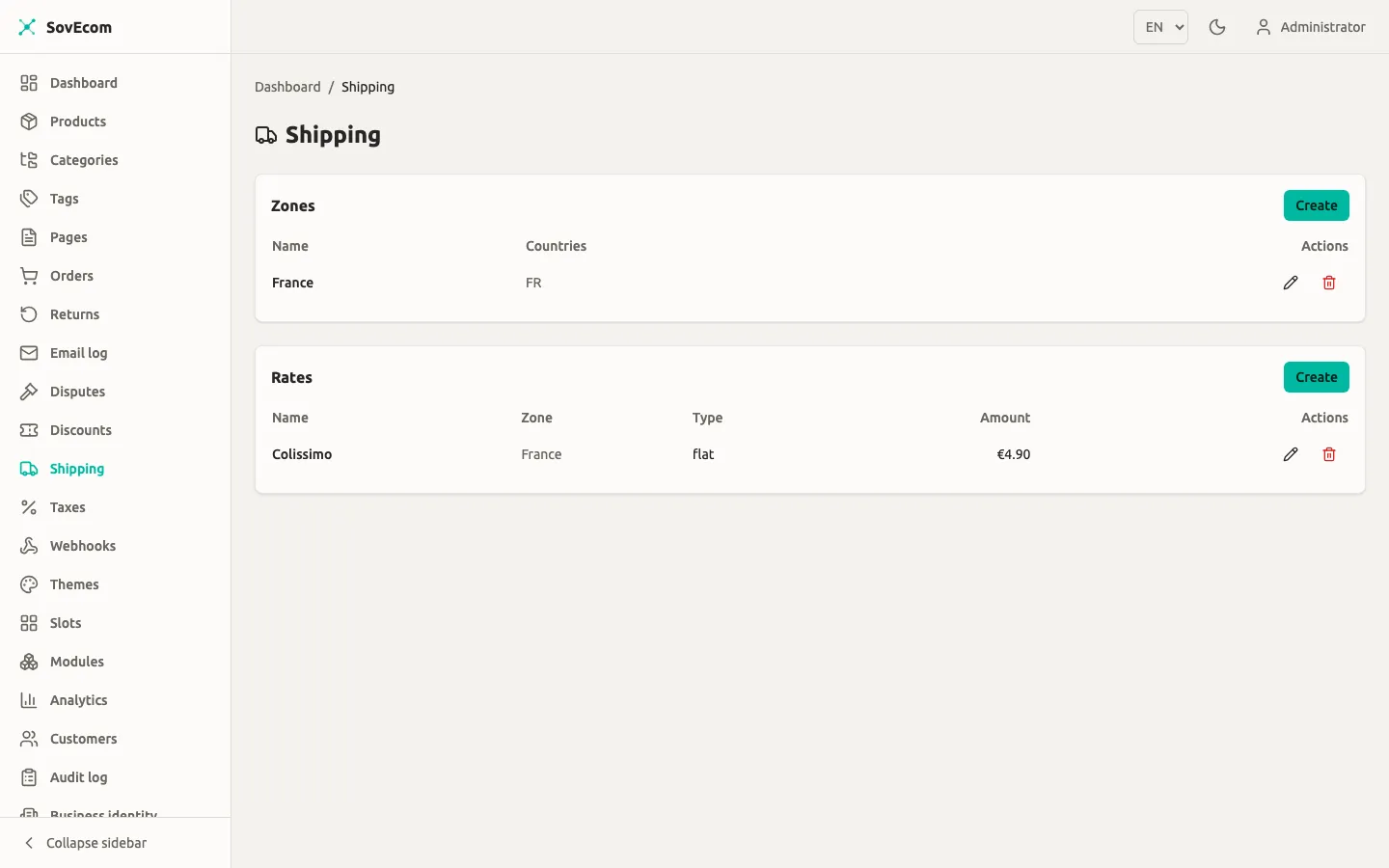
Section titled “Shipping configuration”Shipping rates are store-wide settings under orders:/settings: permissions, not a per-order field. You define zones (named country groups) and rates within them.
GET/POST/PUT/DELETE /admin/v1/shipping/zonesGET/POST/PUT/DELETE /admin/v1/shipping/ratesRate types:
| Type | Behavior |
|---|---|
flat | Fixed amount for the zone. |
free_over | amount, waived once the cart subtotal reaches freeOverAmount. The freeOverAmount is mandatory for this type. |
weight_based | Applies within weightMinGrams–weightMaxGrams. When both bounds are set, min must be ≤ max. |
Managing zones and rates needs settings:write. SovEcom recomputes the selected rate server-side at checkout. A rate that changed or fell out of zone since the customer picked it gets re-resolved, and the checkout is refused if it no longer applies. The cart value is never trusted.
Disputed orders are frozen
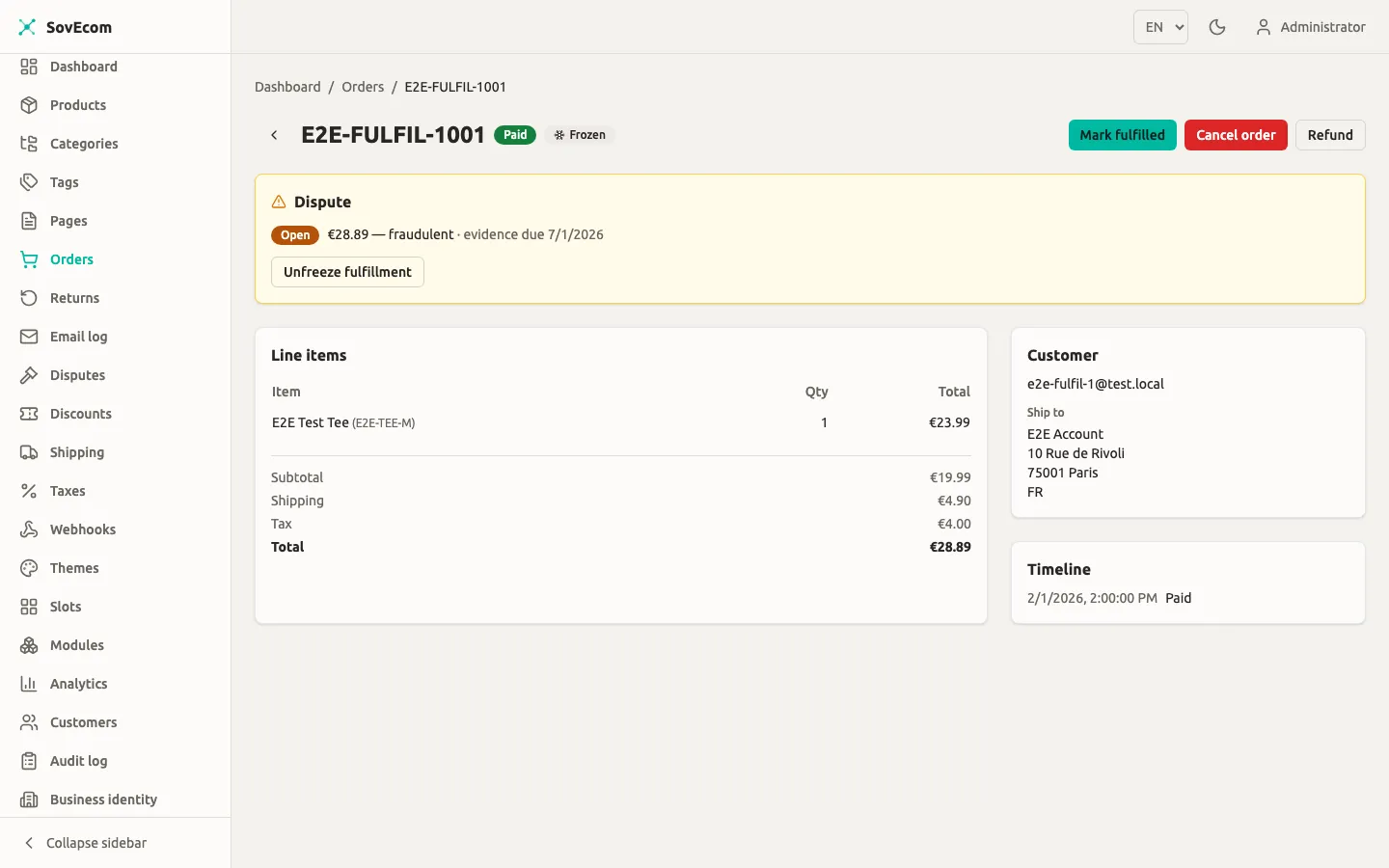
Section titled “Disputed orders are frozen”When a payment dispute (chargeback) opens, SovEcom freezes the order’s fulfillment. While it is frozen, the API refuses the → fulfilled and → shipped transitions with a 422. Refunds and cancellation stay open, since a lost dispute still needs the order to resolve. Do not try to ship a disputed order. Resolve the dispute first.
When a dispute is open on an order, its detail shows a fulfilment-frozen banner and blocks Mark fulfilled until the dispute resolves.
Returns and the 14-day withdrawal right
Section titled “Returns and the 14-day withdrawal right”SovEcom distinguishes two return kinds (the return_type enum):
return: a normal product return (defective, wrong item, change of mind on a specific line).withdrawal: the statutory 14-day right of withdrawal under the EU Consumer Rights Directive 2011/83/EU.
How a customer requests a return
Section titled “How a customer requests a return”The customer initiates a return on their own order from the storefront account area:
POST /store/v1/customers/me/orders/:orderId/returns{ "type": "withdrawal", "items": [{ "orderItemId": "…", "quantity": 1 }], "reason": "…" }This is customer-authenticated and scoped to the logged-in customer. Another customer’s order id returns 404, with no way to tell “not found” from “not yours” (no enumeration oracle). The order must be in a returnable state: paid, fulfilled, shipped, delivered, or partially_refunded.
SovEcom checks each requested line against the not-yet-refunded quantity on that order item, so a customer cannot request more units than remain. This is a soft pre-check. The hard no-over-refund guard runs again at approval.
The 14-day window flag
Section titled “The 14-day window flag”When a return is created, SovEcom computes a withinWithdrawalWindow flag from the order’s delivery timestamp:
- If the order is not yet
delivered, the window is open (the right has not started expiring). - If it is delivered, the window is open until 14 days after the delivery timestamp, then closed.
withinWithdrawalWindow = (now ≤ deliveredAt + 14 days) // open if not yet deliveredThe flag is informational and rides on the return record, so at decision time you can see whether the customer is still inside the statutory window. SovEcom does not auto-reject a late request. You make the call.
Return statuses
Section titled “Return statuses”| Status | Meaning |
|---|---|
requested | Customer submitted it; awaiting your decision. |
approved | You approved it; the refund is being issued. |
rejected | You rejected it with a reason. |
refunded | Refund issued and the return is closed. |
Approving or rejecting a return
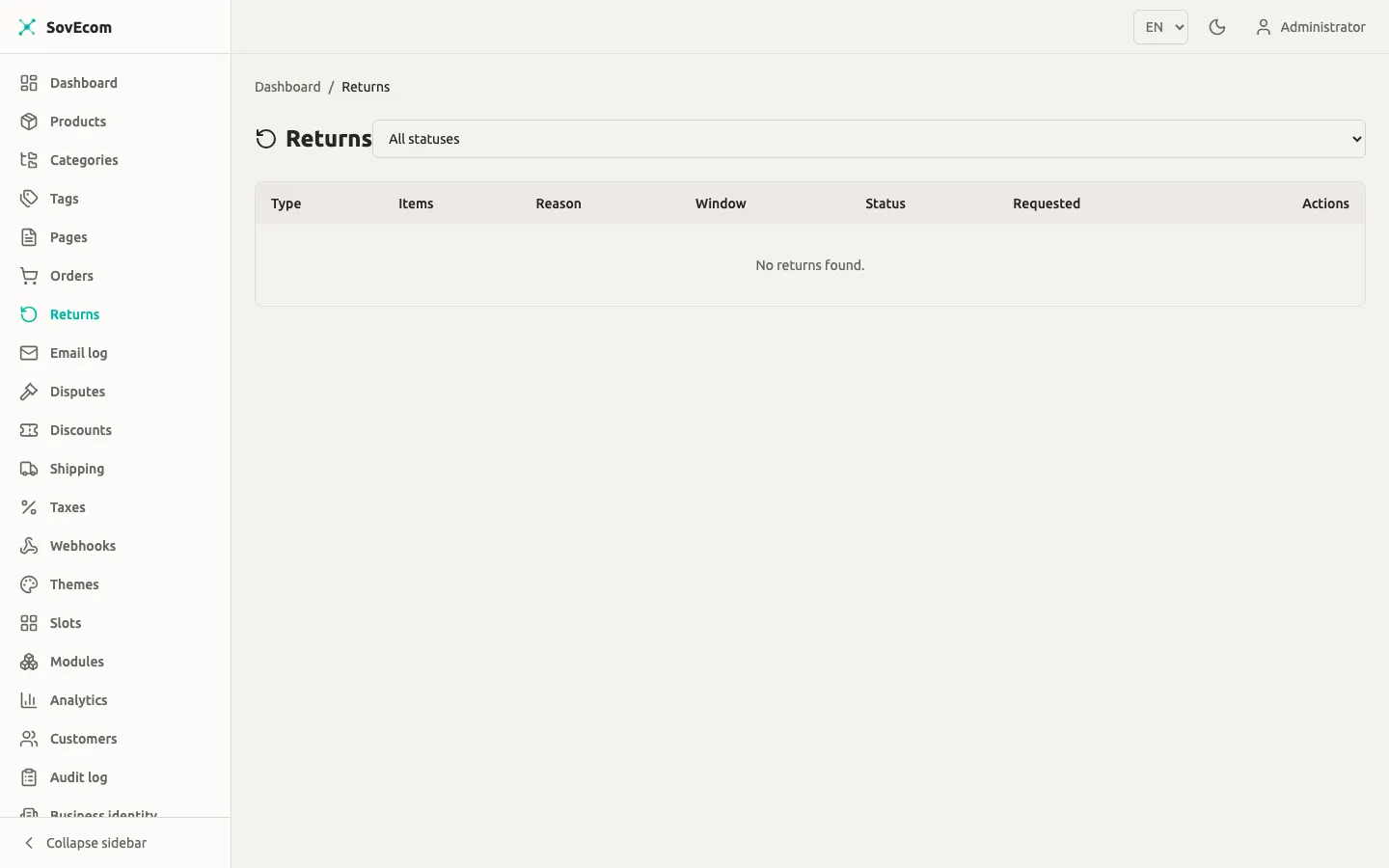
Section titled “Approving or rejecting a return”You work the return queue under orders:read (view) and orders:write (decide):
GET /admin/v1/returns?status=requestedPOST /admin/v1/returns/:id/approvePOST /admin/v1/returns/:id/reject { "reason": "Outside the 14-day window" }Approving a return does the whole money side in one step: it issues a refund, writes a credit note, restocks the returned goods, then marks the return refunded.
- A full withdrawal (every line, full quantity, nothing refunded yet) refunds in full including shipping. Under the Consumer Rights Directive, a withdrawal refunds the original outbound delivery cost.
- A partial return refunds the requested lines.
Approval is a compare-and-swap from requested to approved, so a double-click or concurrent approve cannot issue two refunds for one return. Each return carries a stable idempotency key (return:<id>), so a retried approve collapses into a single refund at the gateway. If the refund fails, the return reverts to requested and you can retry once you fix the cause.
Refunds
Section titled “Refunds”You can also issue a refund without a return record (for a goodwill adjustment or a price correction). Refunds need orders:write, get audited, and drive the order to refunded or partially_refunded.
POST /admin/v1/orders/:orderId/refundsThere are three mutually exclusive modes:
| Mode | Body | Effect |
|---|---|---|
| Full | neither items nor amount; optional restock: true | Refunds the entire remaining balance. restock returns all not-yet-refunded units to stock. |
| Line-item | items: [{ orderItemId, quantity, restock? }] | Refunds specific lines/quantities, with per-line restock. |
| Partial amount | amount: <minor units> | Refunds an arbitrary amount with proportional VAT reversal. |
items and amount cannot both be present. Every refund body must include a stable idempotencyKey:
POST /admin/v1/orders/:orderId/refunds{ "items": [{ "orderItemId": "…", "quantity": 1, "restock": true }], "reason": "Damaged in transit", "idempotencyKey": "refund-2026-06-25-damaged-01"}What a refund does, atomically
Section titled “What a refund does, atomically”A refund runs as one order-row-locked transaction: lock the order, validate the amount against the refundable remaining, call the gateway, write the refund, increment the refunded amount, restock if asked, issue a credit note, and drive the order state. These commit or roll back together. Key guarantees:
- No over-refund. The refund is rejected if it exceeds the remaining (
total − already refunded), and per-line refunds are re-checked against each item’s not-yet-refunded quantity. - Tax reversal is exact. VAT is reversed proportionally, clamped so the cumulative reversed tax can never exceed the order’s VAT.
- Manual payments are recorded offline (no gateway call); you settle the money yourself through your bank or cash drawer.
Asynchronous (SEPA) refunds
Section titled “Asynchronous (SEPA) refunds”A refund against an async method (SEPA Direct Debit) can return pending: the money has not moved and the bank may still reject it. For a pending refund, SovEcom reserves the refunded amount and quantities, so a concurrent refund cannot over-refund, but defers the credit note, restock, and order-state change until the bank confirms. On confirmation it replays those steps once. If the bank rejects, it backs the reservation out and marks the refund failed. You see the refund as pending until then.
Gateway (Stripe-dashboard) refunds are reconciled and audited
Section titled “Gateway (Stripe-dashboard) refunds are reconciled and audited”You can also refund directly in the Stripe Dashboard. SovEcom reconciles those back into the order via the charge.refunded / refund.updated webhooks:
- The webhook records the dashboard refund as an external, amount-mode refund, issues the credit note, restocks nothing (no line context), and drives the order state.
- It is idempotent on the Stripe refund id. If the refund is already recorded (admin-initiated, or a prior webhook), it is a no-op or a status update.
- A dashboard refund whose amount exceeds the remaining (already covered) is logged and skipped, not failed.
A dashboard refund runs with no admin user attached. To keep an audit trail, SovEcom writes a system-actor order.refunded.gateway entry to the audit log on reconciliation, recording the Stripe refund id, amount, and status. The payment-events ledger alone does not satisfy the audit export, so this entry is what surfaces a gateway refund in your audit query.
Credit notes
Section titled “Credit notes”Every confirmed refund issues a credit note. The credit note corrects the order’s original invoice; the original is never modified.
- Credit notes use their own gapless counter series,
CN, separate from theSTDinvoice series. Each per-tenant series is gapless: a rolled-back transaction consumes no number. - The number format is
YYYY-NNNNNN(year of issuance, zero-padded sequence). - A credit note is immutable once issued and links back to the invoice it corrects via
corrects_invoice_id. - The credit note carries the tax-reversal breakdown (net, VAT, gross) for the refunded lines or amount.
If the original invoice is missing when a refund runs (invoice issuance is a best-effort async step), SovEcom issues it first so the credit note has real fiscal identity and a corrects-link, rather than minting a credit note with empty seller/buyer data.
SovEcom renders and stores the credit-note PDF after the refund commits. A failed render gets logged and does not roll back the refund. The credit-note record still exists, and you can re-render the PDF.
Restocking
Section titled “Restocking”Restock behavior depends on how stock left in the first place:
- Unpaid cancellation (
pending_payment → cancelled, by the sweeper or you): SovEcom restores the stock consumed at order creation. Bundle parent lines re-expand to their components. - Refund / return: stock returns when you ask for it (
restock: trueon a full refund, or per-linerestockon a line refund, which the return-approval flow sets). A full-refund restock returns the not-yet-refunded quantity, so a line already restocked by an earlier partial refund is never double-credited.
Cancelling a paid order does not restock through the cancel path. It restocks through the refund flow, so stock is never double-credited.
Permissions summary
Section titled “Permissions summary”| Action | Permission | Roles |
|---|---|---|
| View orders / returns | orders:read | staff, admin, owner |
| Transition, mark paid, record payment | orders:write | admin, owner |
| Issue refund | orders:write | admin, owner |
| Approve / reject return | orders:write | admin, owner |
| Manage shipping zones / rates | settings:write | admin, owner |
Staff can read the order and return queues but cannot move money or change order state. Every mutation is recorded in the audit log.