

Catalog
Build and maintain your catalog here: products and their variants, categories and tags, product images, and the EU compliance duties on your listings (GPSR safety identity and the Omnibus prior-price rule).
You drive the catalog through the admin API under /admin/v1/. Every write requires an authenticated user with the right permission (products:write, categories:write, or categories:delete). Each mutation records an audit row with your user id, IP, and user agent.
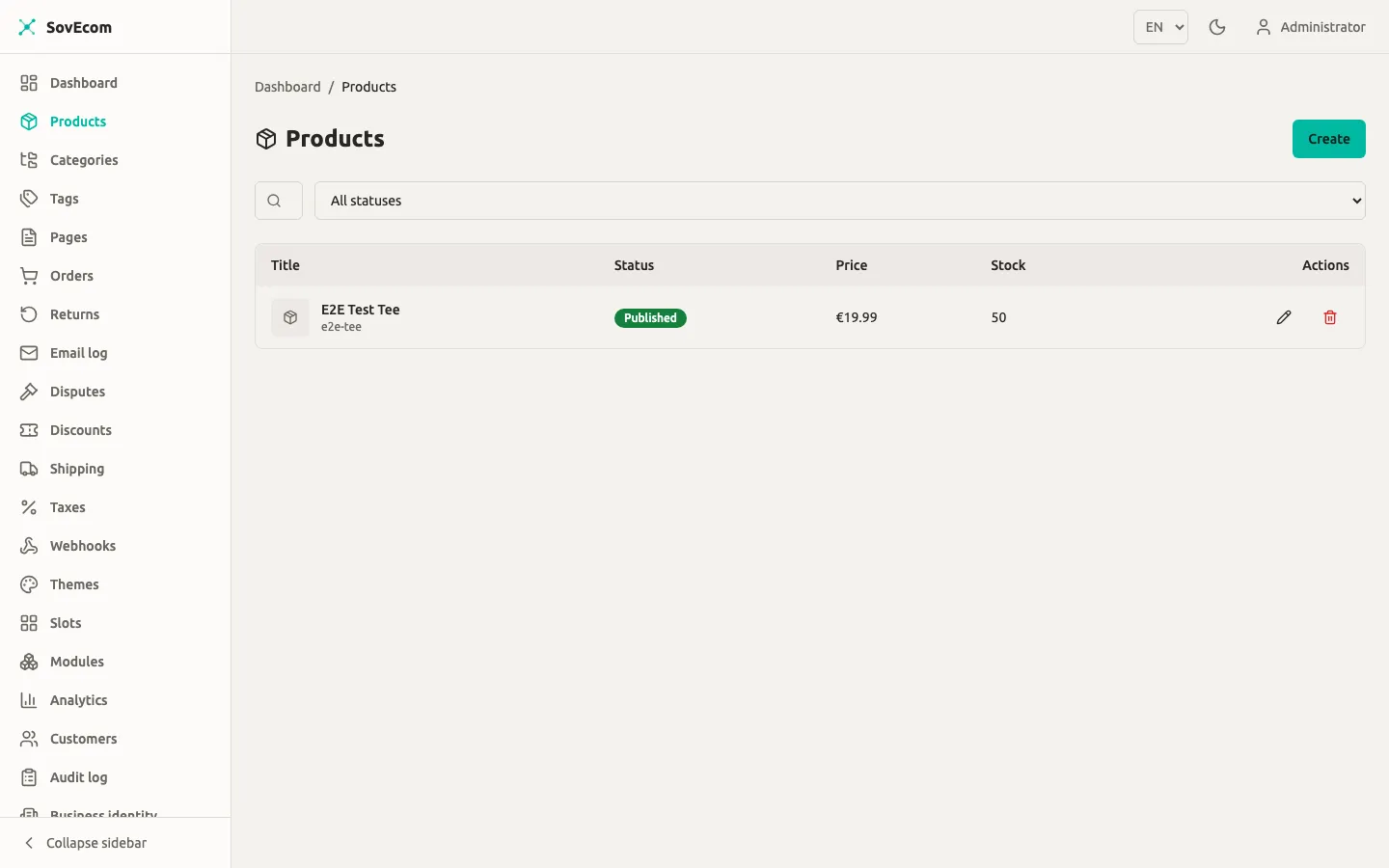
Money model
Section titled “Money model”Store prices as integer minor units plus a currency code. A product priced at €19.99 stores priceAmount: 1999 and currency: "EUR". Never send a decimal. Send the currency as an ISO-4217 three-letter code; the API upper-cases it on the way in, so eur and EUR both land as EUR.
| Field | Type | Meaning |
|---|---|---|
priceAmount | integer ≥ 0 | Selling price in minor units (cents) |
currency | 3-letter code | ISO-4217, e.g. EUR, USD |
compareAtAmount | integer ≥ 0, nullable | Strike-through reference price (see Omnibus) |
Products
Section titled “Products”A product is the listing. It carries a title, a URL slug, a description, an SEO title and description, a status, and a metadata JSON blob. Pricing and stock live on its variants, never on the product itself.
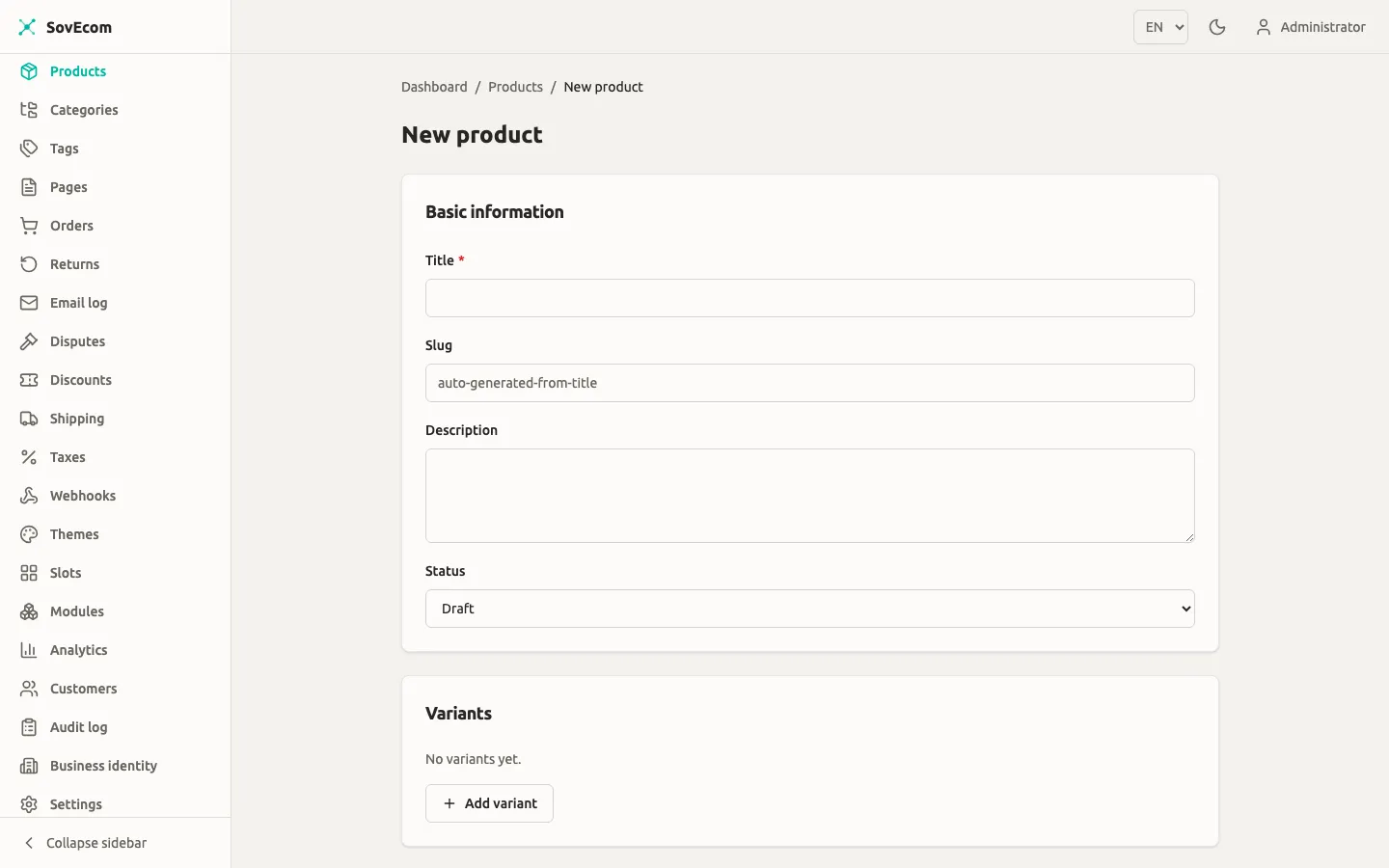
Create a product
Section titled “Create a product”POST /admin/v1/products (permission products:write).
{ "title": "Merino Wool Beanie", "description": "Soft, warm, ethically sourced.", "status": "draft", "variants": [ { "sku": "BEANIE-GREY", "title": "Grey", "priceAmount": 2900, "currency": "EUR", "stockQuantity": 40 } ]}What happens on create:
- Slug. Omit
slugand SovEcom derives one from the title (merino-wool-beanie). A collision appends-2,-3, and so on. A title with no Latin characters falls back to a short unique suffix. - Default variant. Send no
variantsarray and SovEcom creates one default variant atpriceAmount: 0in your store default currency (STORE_DEFAULT_CURRENCY, defaults toEUR). Edit it before you publish. - Status. New products default to
draft. Valid values aredraft,published,archived.
The publish guard
Section titled “The publish guard”You cannot publish a product whose variant prices are still zero. status: "published" fails with a 422 if any variant has priceAmount: 0 and carries no free flag. To ship a free item, set that variant’s options.free to true:
{ "title": "Free sample", "priceAmount": 0, "currency": "EUR", "options": { "free": true } }Set every priced variant to at least 1 cent, or flag it free. The guard runs both when you create a product as published and when you PATCH an existing draft to published.
Update a product
Section titled “Update a product”PATCH /admin/v1/products/:id (permission products:write). PATCH semantics: send only the fields you change. You can update title, slug, description, status, seoTitle, seoDescription, and isBundle. Changing the slug regenerates a unique one if your value collides.
Delete a product
Section titled “Delete a product”DELETE /admin/v1/products/:id (permission products:write). This is a hard delete. The cascade removes the product’s variants and image links.
List and filter products
Section titled “List and filter products”GET /admin/v1/products (permission products:read) returns an offset-paginated list. Query parameters:
| Param | Values | Default |
|---|---|---|
page | ≥ 1 | 1 |
pageSize | 1–200 | 20 |
status | draft / published / archived | all |
category | category UUID | — |
tag | tag UUID | — |
priceMin / priceMax | integer cents | — |
inStock | true / false | — |
sort | created / title / price | created |
order | asc / desc | desc |
Variants
Section titled “Variants”A variant is the buyable unit: one SKU, one price, one stock count. Every product has at least one. Use variants for size, colour, or any option that changes price or inventory.
POST /admin/v1/products/:productId/variants adds a variant. PATCH .../variants/:variantId updates one. DELETE .../variants/:variantId removes one. POST .../variants/reorder sets display order. All four need products:write.
| Field | Type | Notes |
|---|---|---|
sku | string | Unique per store. A collision gets a short suffix appended. |
title | string, nullable | Variant label, e.g. “Large / Blue” |
options | JSON object | Free-form attributes; options.free = true exempts a 0-price variant from the publish guard |
priceAmount | integer cents | Required on create |
currency | 3-letter code | Must match the product’s other variants |
compareAtAmount | integer cents, nullable | Strike-through price; read the Omnibus rule below before you set it |
stockQuantity | integer ≥ 0 | On-hand count |
allowBackorder | boolean | Sell past zero stock when true |
weightGrams, lengthMm, widthMm, heightMm | integer, nullable | Used by shipping rate rules. See Shipping. |
On a variant PATCH, send currency whenever you send priceAmount. Send the pair together or the request fails.
Categories
Section titled “Categories”Categories are a hierarchy. Each category has a name, a slug, an optional parentId, a display position, and its own SEO fields. Build a tree by pointing children at a parent.
POST /admin/v1/categories (permission categories:write) creates one. PATCH /admin/v1/categories/:id renames, re-slugs, re-parents, or repositions. GET /admin/v1/categories returns a flat list with each node’s parentId so you can rebuild the tree client-side.
DELETE /admin/v1/categories/:id needs categories:delete. Deletion is blocked while the category has children: the API returns 409. Move or delete the child categories first, then delete the parent.
Assign categories to a product with PUT /admin/v1/products/:id/categories (permission products:write). This is replace-set: the body’s categoryIds array becomes the product’s complete category set. Send the full list every time, not a delta.
{ "categoryIds": ["018f...a1", "018f...b2"] }Tags are flat labels with a name and a slug. No hierarchy, no SEO fields. POST /admin/v1/tags (permission categories:write) creates one; tag write and read reuse the category permissions. DELETE /admin/v1/tags/:id (permission categories:delete) removes a tag and unlinks it from every product.
Assign tags to a product with PUT /admin/v1/products/:id/tags, replace-set, same shape as categories with a tagIds array.
Images
Section titled “Images”Upload first, then attach. Images are tenant-scoped assets you link to one or more products.
Upload
Section titled “Upload”POST /admin/v1/images (permission products:write), multipart/form-data with a file field and an optional alt_text query parameter. The file size limit is 10 MB.
On upload SovEcom:
- Strips all EXIF, GPS, XMP, and IPTC metadata from every output, including the re-encoded original. Customer-facing images never leak a camera’s GPS coordinates.
- Bakes in EXIF orientation so rotated phone photos display upright.
- Generates four sizes, each in AVIF, WebP, and JPEG:
| Size | Width |
|---|---|
large | 1920 px |
medium | 800 px |
small | 400 px |
thumbnail | 150 px |
Each output fits inside its target width and never enlarges a smaller source. The response returns public URLs for every size and format, plus the original.
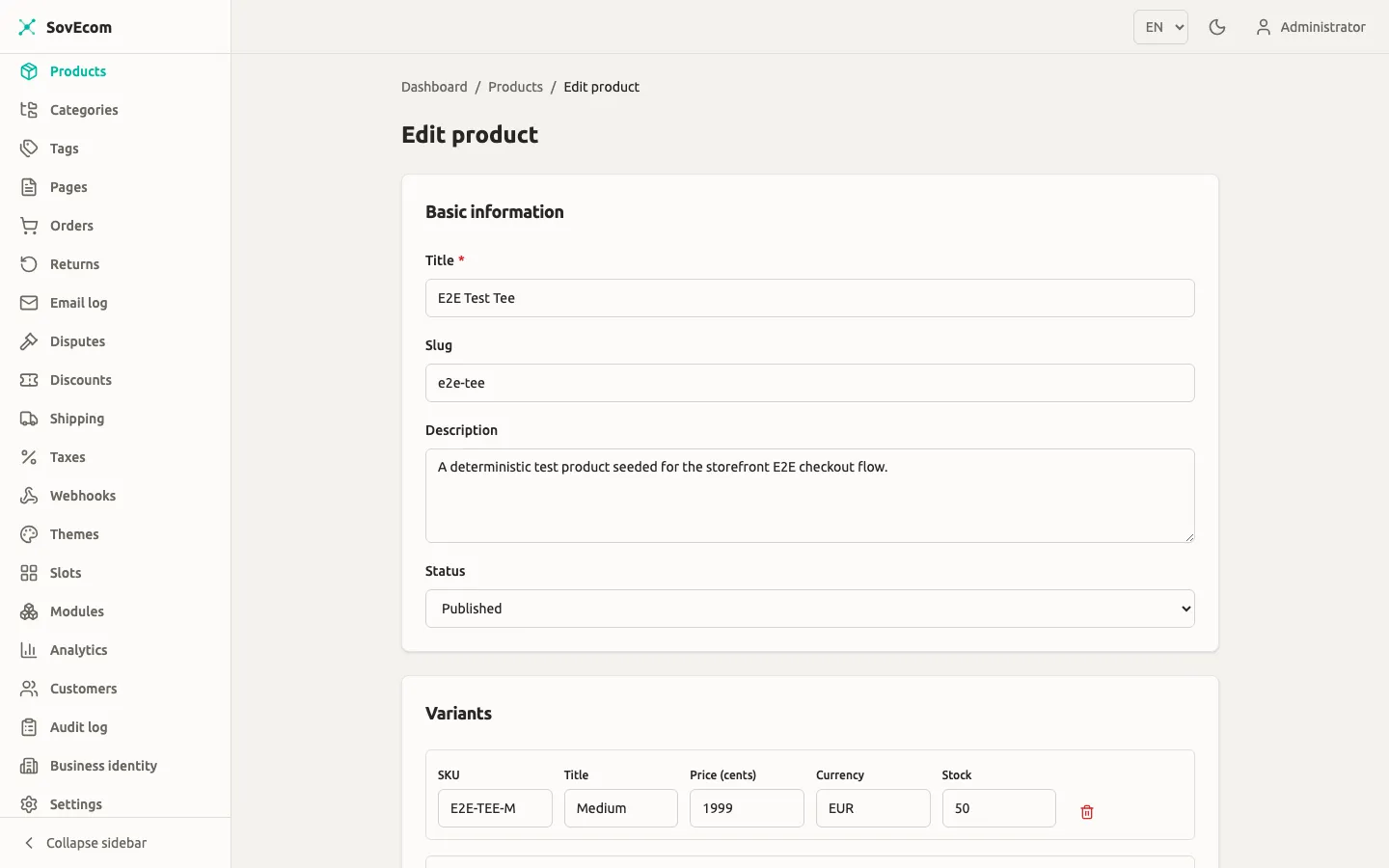
Open a product and choose Edit to manage its details, variants, and images — set alt text per image (required for accessibility and shown when an image fails to load).
Attach, reorder, detach
Section titled “Attach, reorder, detach”POST /admin/v1/products/:id/imageswith{ "imageId": "...", "position": 0 }links an uploaded image. Re-attaching the same image returns 409.POST /admin/v1/products/:id/images/reorderwith an ordered array of image ids sets display order. Every id must already be attached to that product.DELETE /admin/v1/products/:id/images/:imageIdunlinks an image from a product. Deleting the image asset itself isDELETE /admin/v1/images/:id, which removes all generated sizes from storage.
EU compliance fields
Section titled “EU compliance fields”Two EU obligations land on products and pricing: GPSR safety identity and the Omnibus prior-price rule. Read both before you publish to EU customers.
GPSR safety identity
Section titled “GPSR safety identity”The General Product Safety Regulation (EU 2023/988, in force since 13 December 2024) requires each consumer-product listing to show the manufacturer’s identity and contact, the EU responsible person where the manufacturer sits outside the EU, and any safety or warning information.
Omnibus prior-price rule
Section titled “Omnibus prior-price rule”The Omnibus Directive (EU 2019/2161) governs how you present a price reduction. Any “was X, now Y” claim must reference the lowest price you applied in the 30 days before the reduction. The original full price and any inflated anchor are both illegal here.
In SovEcom the compareAtAmount field on a variant holds the strike-through reference price. SovEcom stores and displays the figure exactly as you enter it. It keeps no 30-day price history and computes no prior-lowest figure for you.
When you cut a price, update priceAmount to the new selling price and set compareAtAmount to the prior 30-day low. When the promotion ends, clear compareAtAmount (set it to null) so the storefront stops showing a strike-through.
For VAT, the OSS €10,000 threshold, and the 14-day withdrawal right, see Tax and Returns.
Bulk import
Section titled “Bulk import”Quick reference
Section titled “Quick reference”| Action | Method + path | Permission |
|---|---|---|
| Create product | POST /admin/v1/products | products:write |
| List products | GET /admin/v1/products | products:read |
| Update product | PATCH /admin/v1/products/:id | products:write |
| Delete product | DELETE /admin/v1/products/:id | products:write |
| Add variant | POST /admin/v1/products/:id/variants | products:write |
| Update variant | PATCH .../variants/:variantId | products:write |
| Upload image | POST /admin/v1/images | products:write |
| Attach image | POST /admin/v1/products/:id/images | products:write |
| Create category | POST /admin/v1/categories | categories:write |
| Delete category | DELETE /admin/v1/categories/:id | categories:delete |
| Assign categories | PUT /admin/v1/products/:id/categories | products:write |
| Create tag | POST /admin/v1/tags | categories:write |
| Assign tags | PUT /admin/v1/products/:id/tags | products:write |